
It really is amazing how one year can change your instructional style, I'll have to upload a current clip soon.
Showing posts with label SMARTthought. Show all posts
Showing posts with label SMARTthought. Show all posts
May 25, 2010
An oldie, but goodie...
Here's a video clip I made for a T/TAC training last year including some of my Reverse Mainstream kiddos. I would like to think it's a framework for how a SMART Board could be incorporated into circle time. This particular example and the activities included would be perfect for an at-risk preschool program, especially one including children with special needs because the SMART Board makes circle time so interactive. (Also, check out a later (but posted earlier) clip here!)

March 15, 2009
Need more reasons to love your SMARTBoard?
Five reasons to make the SMARTBoard
part of your early childhood life…
- SMARTBoard pages are FREE and so much faster to make than manipulatives and props for circle time, especially if you switch themes weekly!
- SMARTBoard lets you incorporate real world, concrete examples into circle time.
(video clips from United Streaming, web cams from the zoo,
pictures of each child, etc.)
- Visiting the computer lab or learning lab in your building helps to get your students up and moving. Yes, it’s another transition, but the more practice the better, right?!
- Loads of people share the pages they’ve created using the SMARTBoard. You can google just about any skill combined with the word SMARTBoard and most likely, there is a page available for you to download.
- The SMARTBoard helps us reach a generation of TV loving kids. It turns circle time into an interactive learning session! You can make it as structured and routine as you need to!
Five easy things to try tomorrow…
- Count to 9 or 12 when you orient the board.
- Try out an interactive website like those I’ve posted on my blog: www.followingmoments.blogspot.com . Peep and the Big Wide World is a huge hit!
- Let your kids go crazy practicing pre-writing strokes with the pens or their fingers.
- If you’re feeling brave, start out with simple sorting and sequencing activities.
- Watch online books like those found on Tumble Books or Storyplace.org.
March 1, 2009
A Quick SOTM Example
 This past week, our Technology Specialist tried out her new video camera during my circle time activities. I thought I would upload an edited version to show just how I use my Song of the Month in our daily routine. I haven't uploaded this particular song to the blog yet, because I like to work out all the kinks (which seemed to take all month this time) before I share it with you! A few notes: The voice you hear is our Technology Specialist, she hears us sing this daily and likes to sing along sometimes. I blurred any clip that showed my kiddos' faces. I probably didn't need to, since I didn't identify anyone's last name, but I wanted to be on the safe side. And yes, I'm a bit energetic...but I am a preschool teacher after all, it comes with the territory.
 February 9, 2009
Aw, thanks guys!
I'm feeling the love from all the downloads that have taken place in the last 24 hours. You make me want to post more stuff, I love it! I'll have to fine tune my entire circle time SMARTBoard lesson and post it soon. Just know that it's coming, keep an eye out!
February 8, 2009
Some Explanation...
 You might wonder why almost all of my songs involve "5 little...". It is so hard for most of my special education students to memorize songs so I try to keep things as repetitive as possible so they can begin to concentrate on other things like counting to 5 :) once they've memorized the song. I also have a hard time teaching the concept of "How many?" and by counting every single day with these songs and asking "How many?" before we begin to sing each verse, they get lots of exposure and practice.


5 Little Cookies
 This page makes me laugh every time I open it because the reindeer head is so randomly placed. I had to figure out somewhere for the cookies to go once he ate them! :)
Click here to download the song.
Fall Leaves
 This is my favorite song and page so far this year. It's great for beginning to explore rhyming words and more color recognition practice for those that need it.
I can't remember the song off the top of my head. I'll grab it from school tomorrow and upload it when I get home.

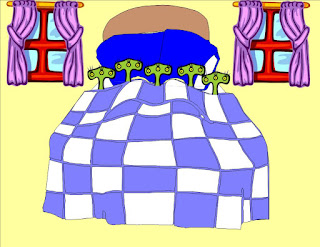
5 Little Monkeys
 Playing catch up and adding all my SMARTBoard songs from the past few months. You'll definitely see a difference between the 5 Monkeys song and the later ones. I learn something new about the Notebook software every time I use it. There will be 2 files to download for each song. Click the SMARTBoard page to download it and don't forget the word document with the song/rhyme.
Techie note: Public school computers won't let you access personal sites like blogs, so download these files to a flash drive and take them into school to use on a computer with the Notebook software installed.

Click here to download the song.
February 5, 2009
Welcome T-TAC Friends!
Hello to all who attended the T-TAC workshop tonight! I'm so glad you decided to come by and visit. I have blocked out this weekend to upload all my SMARTBoard files, so please check back on Monday and go download crazy!! In the meantime, try out some of the interactive websites in the left hand column with your kiddos!
And of course, if you have any questions...please leave a comment under this post and I'll get back to you ASAP!
And of course, if you have any questions...please leave a comment under this post and I'll get back to you ASAP!
January 7, 2009
 Ah, the SMARTBoard...if you aren't sure what one is, you may want to check out the clip I have included below. I think its value in preschool, especially early childhood special ed classrooms is really underestimated. For almost a year, I have used our school's SMARTBoard daily, as my canvas for circle time. I should admit that I am spoiled. There is a SMARTBoard mounted to the wall in a "Learning Lab" down the hall. Our technology specialist has allowed me to put tape on her carpet to mark seats and leave all my other circle time paraphernalia on her counter.
 I really have a lot of fun creating activities, songs, stories, etc. using the software that comes with the SMARTBoard, but if you are timid in your technology usage, or don't have such easy access then maybe you should try out some interactive websites first. Anything your students enjoy playing on the computer in your classroom can be projected onto the SMARTBoard and played as a group. What a great lesson in waiting your turn! The websites I have included on "following great websites..." are wonderful places to start.
As I get this blog up and running, I will post my own SMARTBoard files for you to download and try with your students...continue to check back for new "SMARTthoughts"!
Subscribe to:
Posts (Atom)
